How to play · Section 4 of 9
Building Design
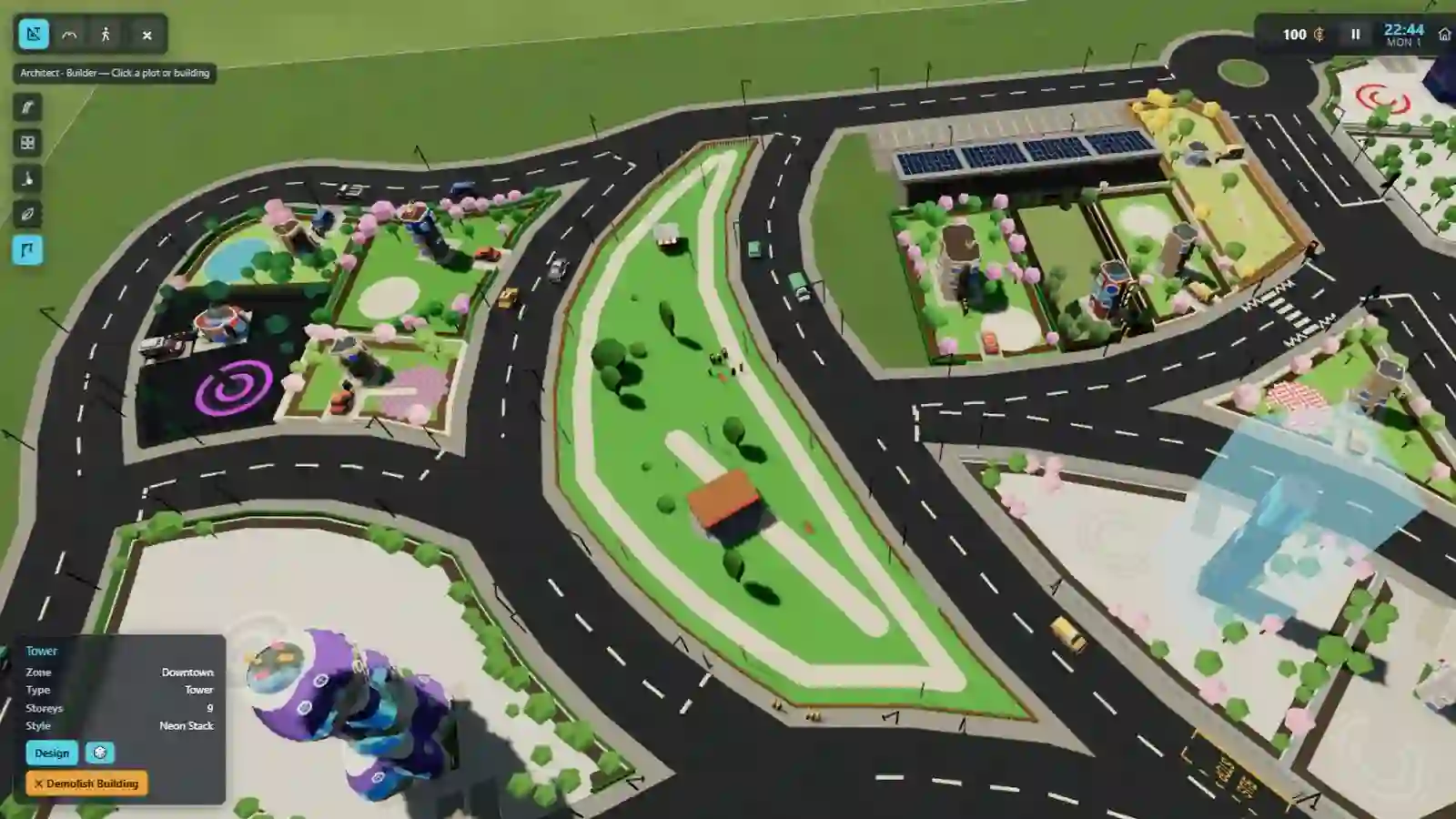
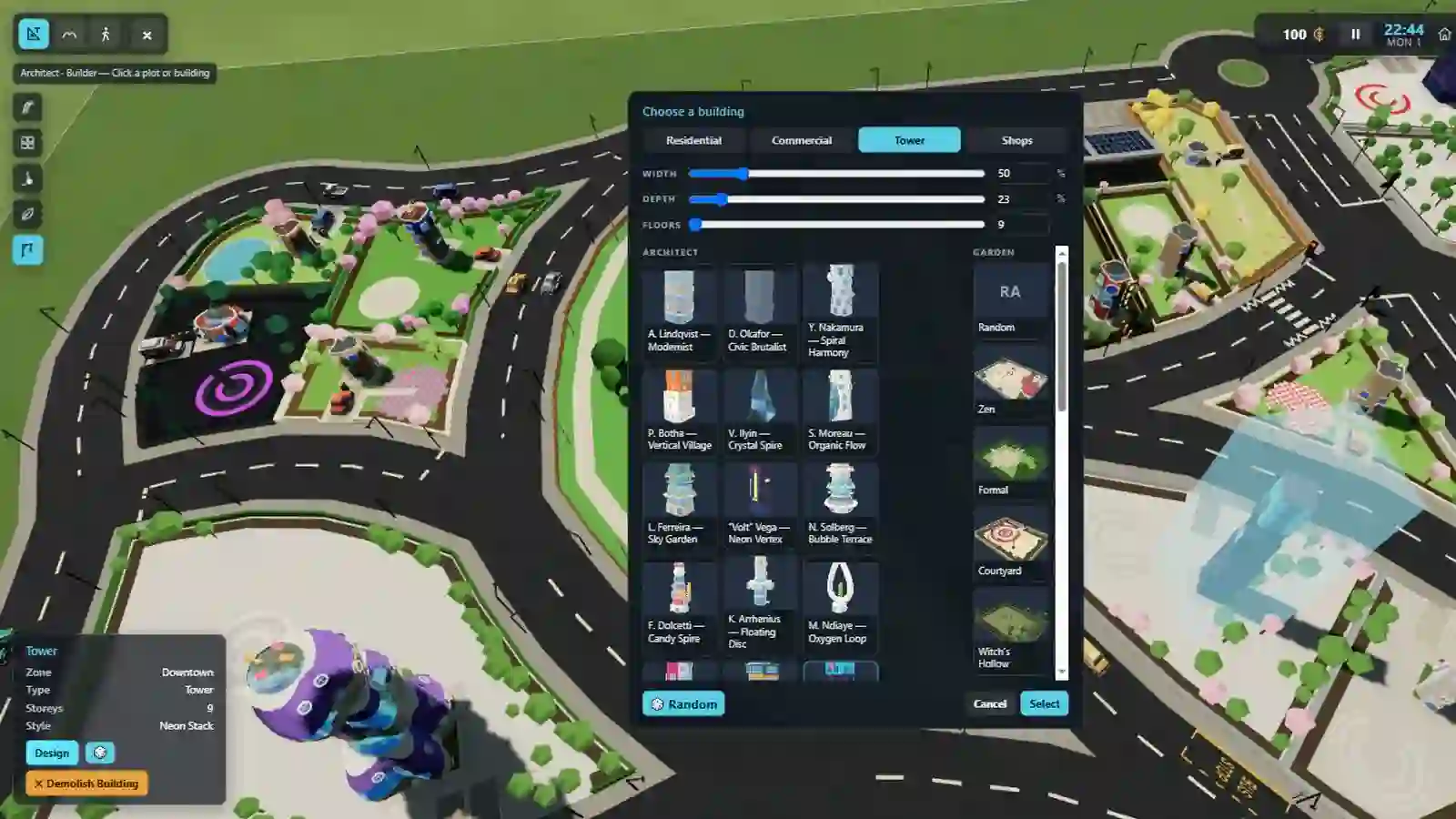
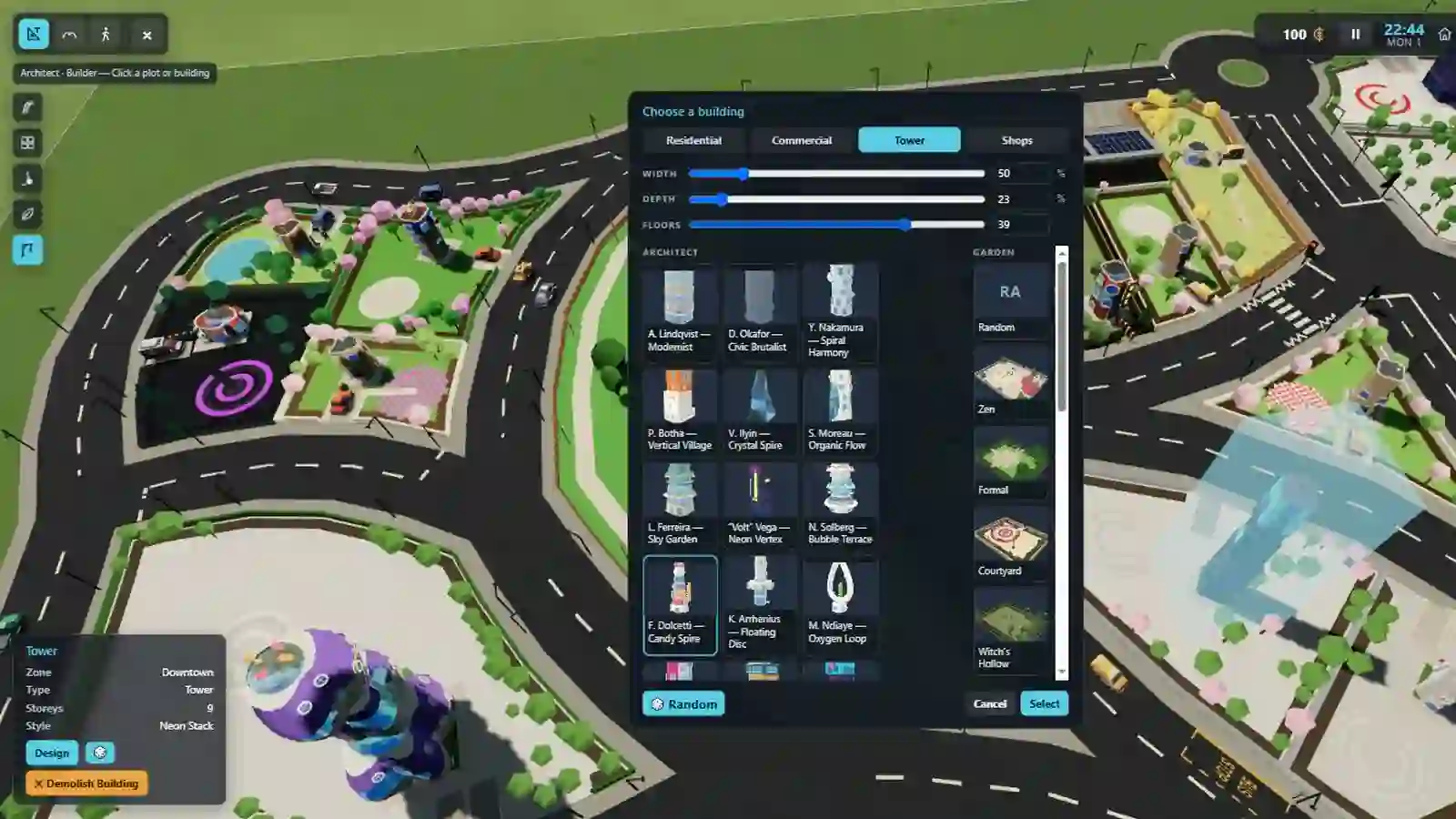
Pick the Builder task and click a plot or a building, and the picker opens: Choose a building. It is the same panel whether the plot is empty or something is already standing on it — what you select replaces what is there.
Watch this section in the tour →
What the picker offers
- Type — the row of buttons across the top. House, commercial, tower and so on; which types are offered depends on what the plot can actually take.
- Width, depth and floors — sliders, shown only for building types that have a size to set. They are capped by the plot: you cannot build wider than the land you own, so a small plot simply offers a shorter slider rather than letting you make something that will not fit.
- Architect — the left column of thumbnails. Each one is a different design house with its own shapes, materials and habits. This is the choice that decides what the building actually looks like.
- Garden — the right column. What goes in the space around the building: hedges, walls, planting, a drive, a bare yard.
- 🎲 Random — rolls the type, the architect and the garden all at once. The fast path, and a good way to see what the city has in it.
Select commits; Cancel leaves the plot as it was. Building is instant — there is no construction queue to wait out.
Shop parades
Some plots are not one building but a row of shop units. On those the picker swaps the two thumbnail columns for a checklist of shops — tick the ones you want, up to what the plot will hold, and the panel tells you how many you have left. There is a dice in the corner of that band too, which fills the plot with a random group.
Shops matter beyond decoration: a couple of them are where the missions live.
The other ways in
You do not have to be in the Builder task to change a building. Click any building in
the overview and its panel offers Design (the same picker), 🎲 for a
straight random replacement, and ✕ Demolish Building. Delete
demolishes whatever is selected.
On a block you created yourself, ✕ Demolish Sector clears the whole block at once — every plot on it.